Classic Manual
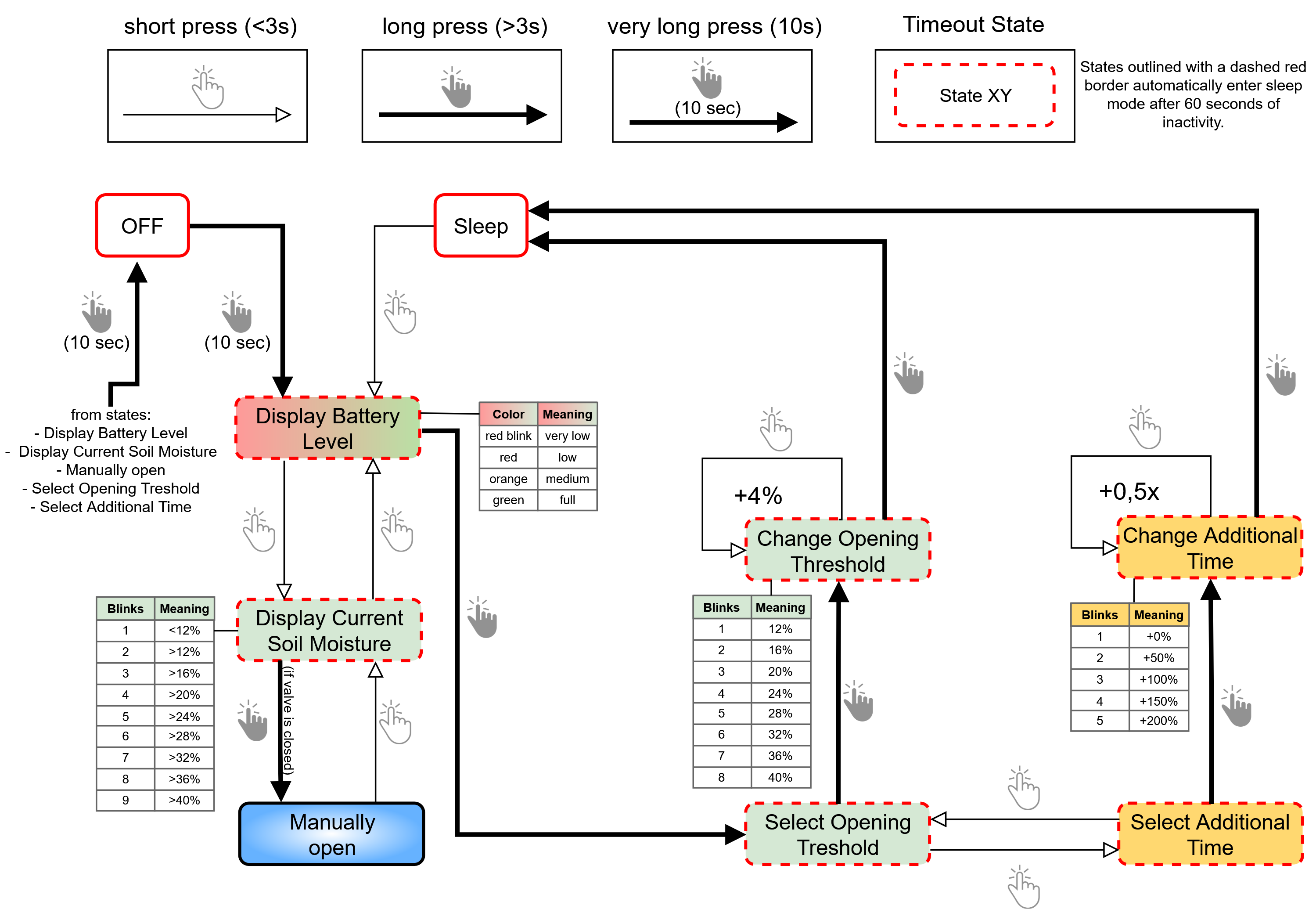
This Flow Diagram gives you an overview of which states exist, how to move between them and how to interpret the LEDs.
- Flow Diagram
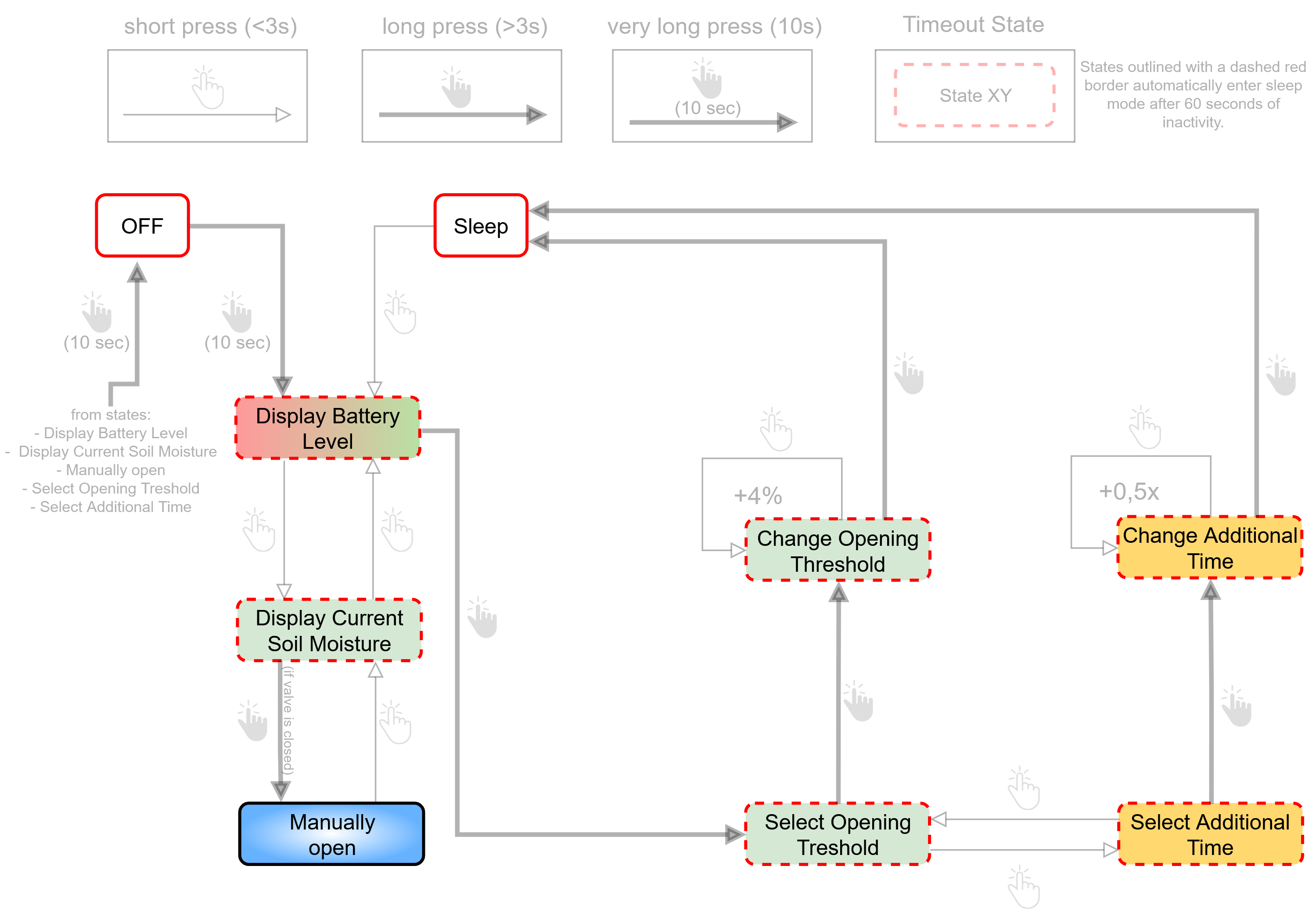
- States only
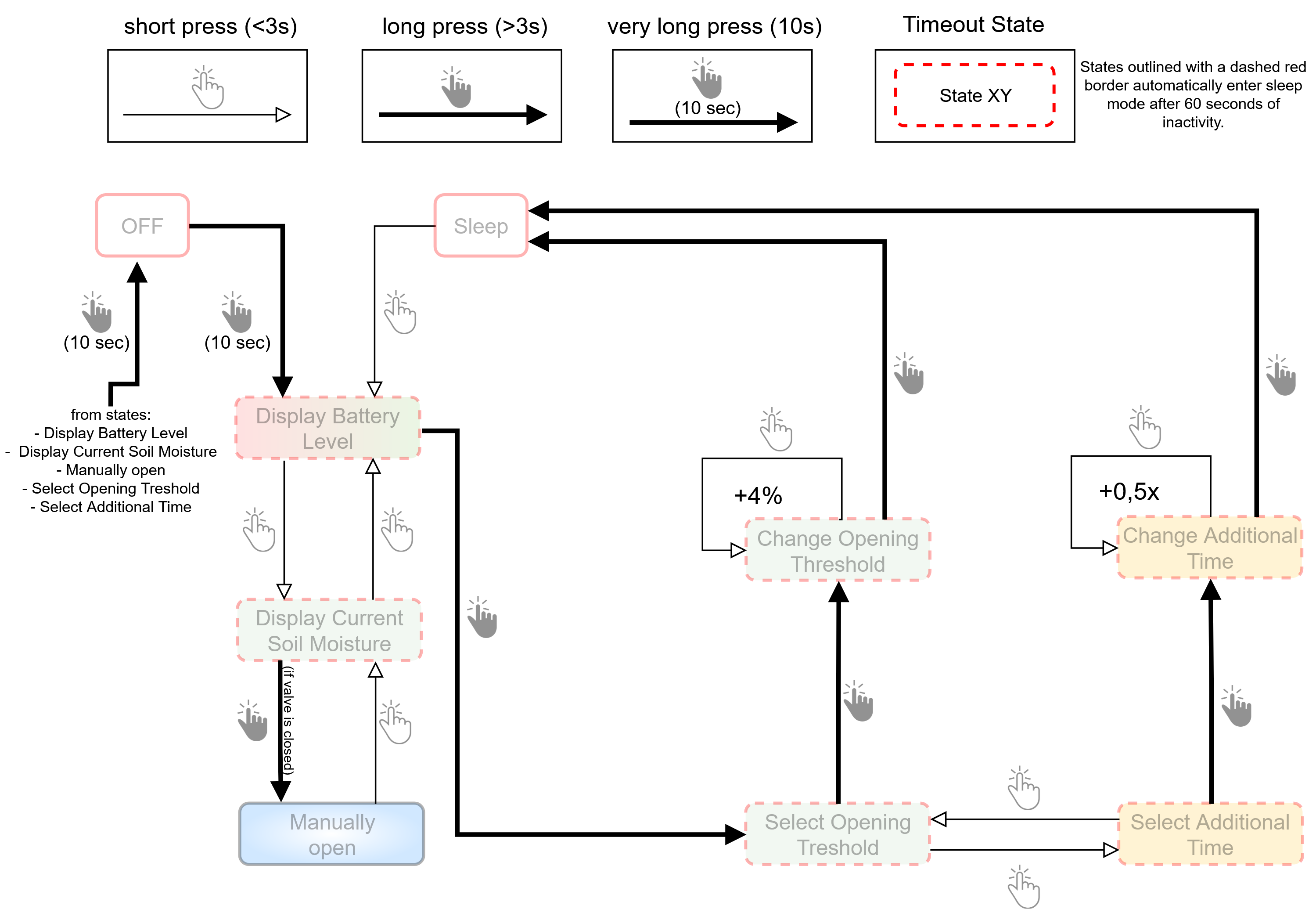
- Transitions only
tip
"The beginning is the end. And the end is the beginning." - Dark (TV series)
You may have to move forward first to "return" to a state.
Here is a list of all possible states:
| State | Description |
|---|---|
| Sleep | In sleep mode OpenValve waters following the user settings. |
| Display Battery Level | The upper LED indicates the battery level. |
| Display Current Soil Moisture | The upper LED indicates the current soil moisture by the number of green LED blinks. |
| Manually Open | This state allows immediate irrigation, independent of current soil moisture readings. |
| Select Opening Threshold | Choose whether to adjust the opening threshold or the additional time setting. |
| Select Additional Time | Choose whether to adjust the opening threshold or the additional time setting. |
| Change Opening Threshold | In this state the opening threshold setting can be changed. The current setting is shown by the number of green LED blinks (1–8) |
| Change Additional Time | In this state the additional time setting can be changed. The current setting is shown by the number of orange LED blinks (1–5) |
| Off | Switching to this state turns off OpenValve completely and closes the valve. |